


Enter Template Details
Enter the details in the respective fields as described in the following table:
|
Field Name |
Description |
|
Template ID |
This is a unique ID for the asset Template. This ID gets generated by default. |
|
Template Type |
This field gets filed by default as "Custom". |
|
Name |
Enter a name for the asset template. |
|
Asset Category |
Select an Asset Category from the dropdown list. |
|
Asset Class |
Select an Asset Class from the dropdown list. The list will be displayed only after you select the Asset Category. |
|
Asset Sub Class |
Select an Asset Sub Class from the dropdown list. The list will be displayed only after you select the Asset Class. |
|
Justification |
Enter a justification for creating this Asset Template. |
You can navigate to the next tab only after entering values in the mandatory field of the respective tab.
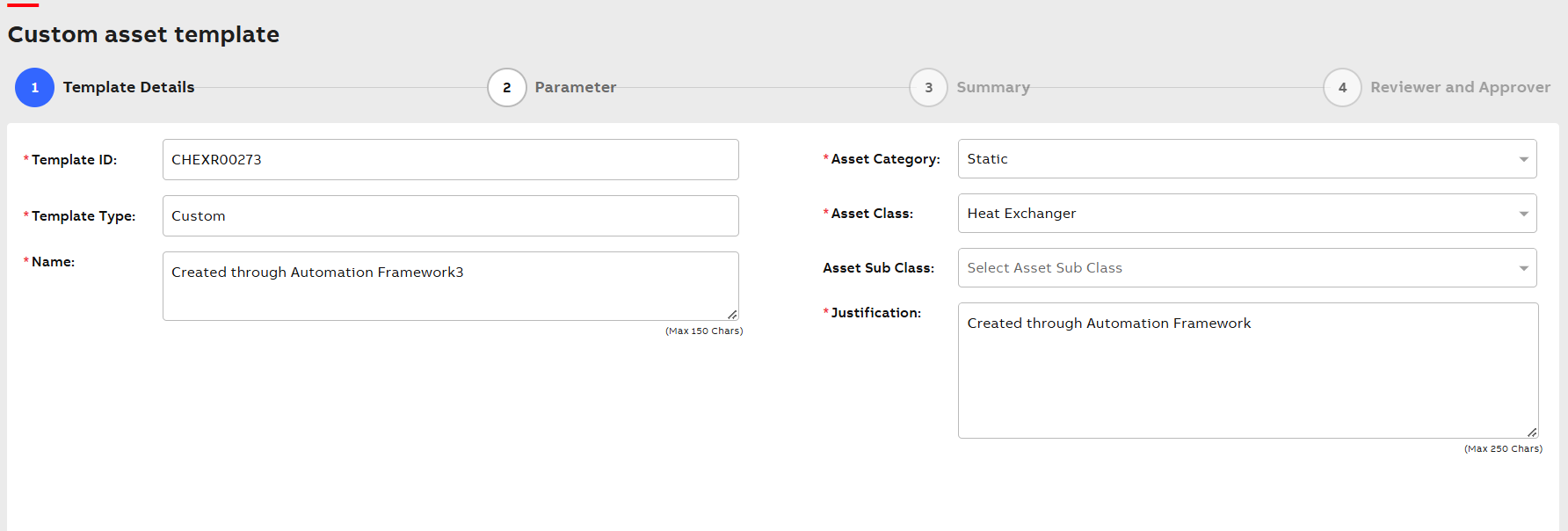
Template Details